
For construction inspectors
Track construction progress, record your observations and request AI analysis.
PLANWALKVR APP
Construction, renovation or rental property: organise and find your photos, track changes, and create technical documentation and draft reports with AI assistance.
Photos, 360° walkthroughs and AI analysis for your work and your own home.
90-day free trial • 500 AI credits
FOR YOUR WORK AND YOUR OWN PROPERTY
Track construction progress, record your observations and request AI analysis.
Support design supervision and surveys with organised site images.
Document completed work and make changes easy to follow.
Stay informed about your project and ask AI about technical details.
Compare photos from handover and return. Request an AI report on visible changes.
Apartments • offices • short-term rentals
SIMPLE AND FAST
Choose the building, room and date. Open the photo or plan you need and start asking questions.
On your phone, tablet or computer.
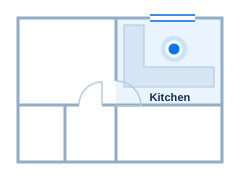
Where are the underfloor heating pipe joints in the building?
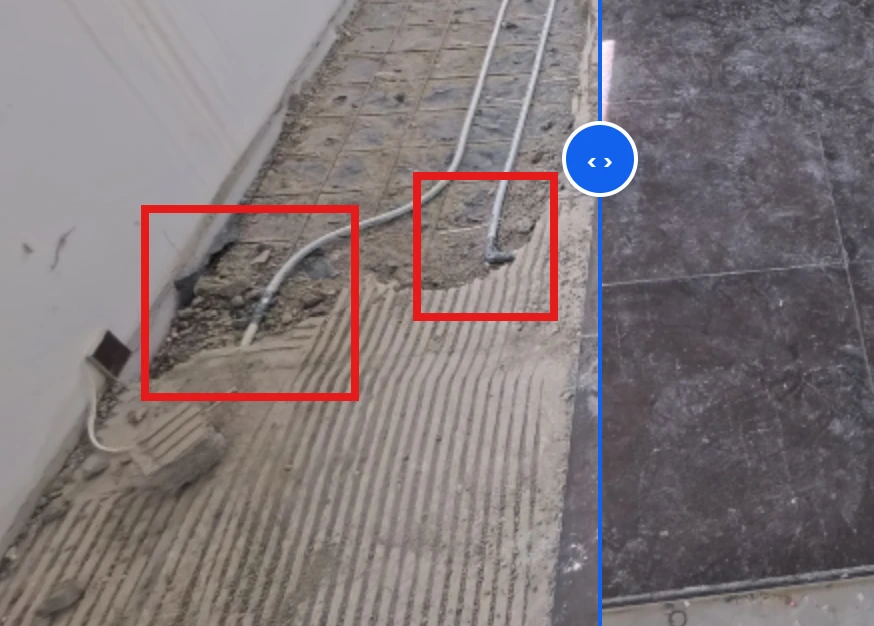
There are two underfloor heating pipe joints in the kitchen, below the window, in the marked areas.
DOCUMENTATION, COMPARISON, AI
Organise images by building, floor and room.
See the same space at different points in time.
Get help identifying potential defects.
Ask about the details and get explanations.
Consider what needs further checking.
Review risks that can be identified in the photos.
AI supports your work but does not replace a qualified professional or an on-site inspection.
You don’t need to buy any new equipment to use the app.

Get started with your own photos.

Detail photos and site documentation.

On a tripod or mounted on a helmet.

Aerial photos of the building and its surroundings.
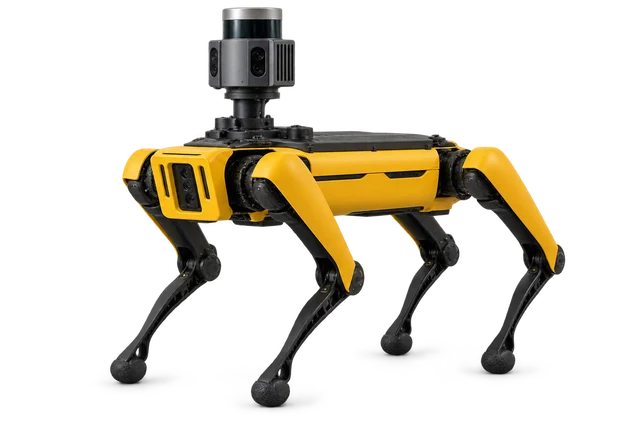
A surveying robot with a camera or laser scanner.
Upload images from your device in a supported format.
THREE SIMPLE STEPS
Confirm your email address.
Create a project and organise your images.
Start an AI analysis or explore what has changed.
After registering, you can start documenting your own building or explore the features using a prepared sample project, which you will find among your projects.
TRUST AND DATA PRIVACY

Developed with input and review from practising construction inspectors, construction project managers and lead designers.
Rózsahegyi Zoltán · AiPlanLab


Images and plans stored in Europe.
Data transmitted over HTTPS.
Privacy information and user rights.
By default, the OpenAI API does not use your data for training.
FREE TRIAL
Your free trial starts when you confirm your email address. The 500 credits are a one-time allowance.
1 GiB storage • 2 buildings • 5 floors • 20 rooms
No. You can register and start your free trial without entering any bank card details.
PlanWalkVR AI works with the context of your construction project: it can use photos linked to rooms and dates, together with plans and documents available for analysis, to answer your questions. Analysis criteria refined by construction professionals help it interpret changes and identify potential problems. This means you do not have to gather the related materials and explain the project background again before every question.
No. You can also use regular photos, including images taken on your phone. A 360° camera gives you a more immersive walkthrough and more comprehensive documentation: you can capture the entire room, making spatial relationships easier to understand and potentially providing more context for AI analysis.
Yes, you can document your own home, renovation or rental property.
No. AI observations support your work but do not replace professional judgement or an on-site inspection.
90 days, a one-time allowance of 500 AI credits and 1 project. This includes 2 buildings, 5 floors, 20 rooms and 1 GiB of storage. Your trial starts when you confirm your email address. See the plans and pricing page for details.